Copy from Excel
Paste structured rows directly into the editable grid.
RHTool by AIdeaStorm
Turn structured Excel data into clear, editable PowerPoint objects. Choose a builder and start with your own worksheet or a sample.
Open RHToolGoal Setting
Consolidates all key information into a single, at-a-glance master view.

Turn grouped dates and milestones into an editable, presentation-ready PowerPoint map.
Open builder
Transform hierarchical spreadsheet rows into editable SVG and PowerPoint diagrams.
Open builder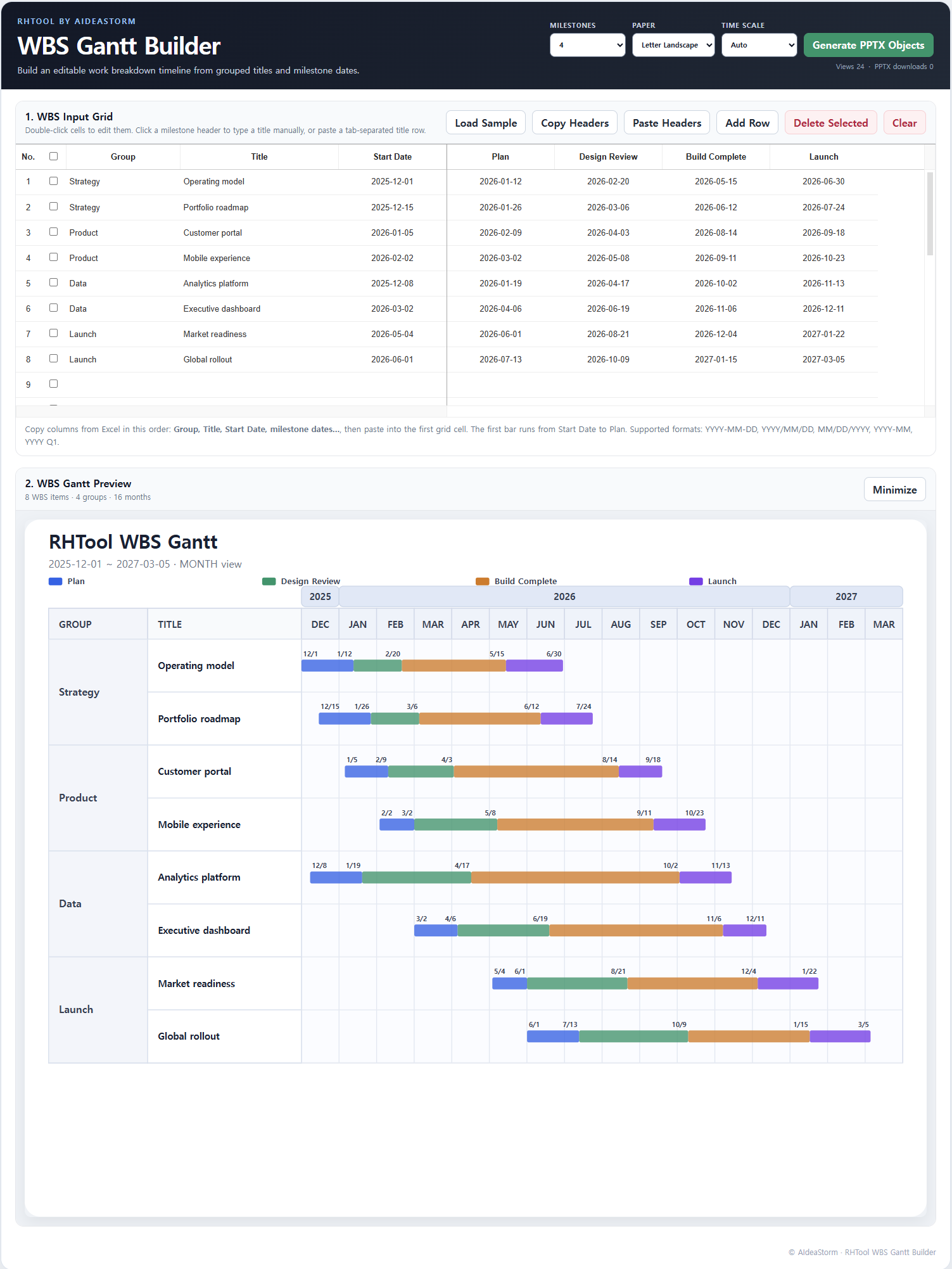
Map grouped WBS titles and configurable milestone dates onto an editable calendar timeline.
Open builder
Create portrait duplex question-and-answer cards with automatic long-edge back alignment.
Open builder
Consolidate grouped issues into a single editable traffic-light master view.
Open builderSimple workflow
Paste structured rows directly into the editable grid.
Review groups, hierarchy, dates, and timeline structure before export.
Continue editing text and shapes in PowerPoint instead of receiving a flat image.